What a “SIM registration check” actually means
A SIM registration check is the process of checking the registration information associated with your own mobile connection or CNIC through an authorised channel.
In Pakistan, SIM registration is linked to identity verification requirements. The Pakistan Telecommunication Authority (PTA) introduced mandatory biometric verification for SIM issuance in 2015 as part of efforts to strengthen subscriber identification.
A registration check can help you understand how many SIMs are registered against your CNIC and whether the displayed network-wise counts match your own records. If you need to verify a particular connection, your mobile operator can explain the appropriate verification process.
It is important to understand the limits of these checks. An official CNIC-based service may show the number of SIMs associated with your CNIC by network. It does not provide unrestricted access to private subscriber records or allow you to look up another person’s confidential registration details.
If your goal is to check your own registration, use an official verification method rather than relying on websites or applications that promise access to private databases.
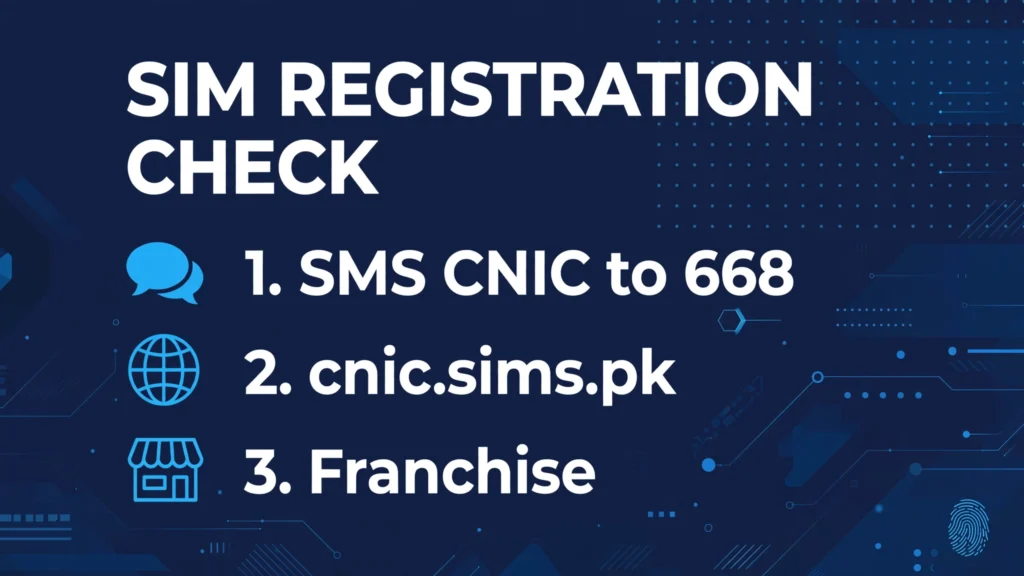
How to check SIM registration status — 3 official methods
There are three practical ways to check your SIM registration information in Pakistan — these are the official PTA SIM verification methods. Choose the method that matches your situation.
Method 1: Send your CNIC to 668 by SMS
The 668 SMS service allows you to check the number of SIMs registered against your CNIC.
Follow these steps:
- Open the SMS application on your mobile phone.
- Enter your 13-digit CNIC number without spaces or dashes.
- Send the CNIC number to 668.
- Read the reply showing the SIM registration count by mobile network.
For example, the response may show separate counts for Jazz, Zong, Telenor, and Ufone. These counts help you compare the registered SIMs with the connections you know about.
This 668 SMS check is free.
Remember that this is a SIM-count check. It is not a public service for retrieving another person’s name, address, CNIC details, or complete phone-number records.
Method 2: Use the official SIM Information System
You can also use the official SIM Information System at cnic.sims.pk. To use the portal:
- Open the official website in your browser.
- Enter your 13-digit CNIC number in the requested field.
- Complete any verification step displayed on the website.
- Submit your information and review the result.
The portal provides a way to check the number of SIMs registered against the entered CNIC, including network-wise information.
Use your own CNIC and enter your information only on the official portal. A result showing a SIM count should not be interpreted as a complete list of private subscriber records.
If you find an unexpected count, contact the relevant mobile operator to ask how you can verify the registration and resolve any discrepancy.
Method 3: Visit your mobile operator’s franchise
If you need to verify a particular SIM, resolve a registration issue, or correct an unexpected result, visit an authorised franchise or service centre of your mobile network.
Take your original CNIC and the SIM or phone involved, if available. The operator may ask you to complete identity verification or biometric authentication, depending on the service you need.
You can contact your operator before visiting to confirm the required documents and process. Common customer service numbers include: Jazz 111, Zong 310, Telenor 345, Ufone 333. For regulatory guidance, PTA’s consumer support number is 0800-55055.
Check SIMs registered on your CNIC
If you want to check SIMs registered against your CNIC, start with the 668 SMS service or the official SIM Information System. Both methods can help you compare the number of registered SIMs with the connections you recognise.
PTA’s commonly stated limit on how many SIMs can be registered on one CNIC is five mobile SIMs and three data-only SIMs per CNIC per network. If you are close to the limit or need to register an additional connection, confirm the current rules through official guidance.
After receiving your result, compare the network-wise counts with your own records. If the numbers do not match, do not assume that every unexpected count automatically means fraud — the operator may need to investigate a registration issue.
Never share your CNIC number, biometric information, or verification codes with an unknown person who claims they can check your SIM registration for you.
What to do if your SIM shows as unregistered
If your SIM is not recognised as registered correctly, take these steps:
- Check the number and network. Make sure you have selected the correct SIM and are contacting the right operator.
- Contact the operator. Explain the issue and ask how to verify the registration of your connection.
- Carry your original CNIC if required. The operator may need to confirm your identity or repeat a verification procedure.
- Ask about the next step. If the SIM is incorrectly registered, blocked, or linked to an unexpected record, request the operator’s official resolution process.
- Escalate unresolved complaints. If the operator does not resolve the issue, consult PTA’s official consumer complaint process.
If the 668 reply shows more SIMs than you expect, contact each relevant operator to investigate the discrepancy. Do not rely on unofficial lookup services to identify the person behind an unfamiliar registration. Keep any complaint reference number or confirmation message so you can follow up if necessary.
SIM registration vs SIM owner details — know the difference
These terms are often used interchangeably, but they do not mean the same thing.
SIM registration refers to the registration of a mobile connection against the subscriber’s verified identity under the applicable requirements. A registration check helps you verify your own connection or review the SIM count associated with your CNIC.
SIM owner details can refer to personal information associated with a subscriber, such as their name or identity information. Such information is not generally available through a legitimate public CNIC self-check service.
The official SIM Information System is designed to provide SIM-count information associated with a CNIC, not unrestricted access to another person’s private records.
Avoid websites that promise complete SIM owner information for any mobile number without authorisation. Do not submit personal information to services that cannot establish their legitimacy.
Frequently asked questions
You can send your 13-digit CNIC number without dashes to 668, use the official SIM Information System at cnic.sims.pk, or visit your operator’s authorised franchise. For a specific connection, the operator can explain the available verification process.
No. You should use CNIC-based self-verification for your own identity and registrations. There is no legitimate public self-check that grants unrestricted access to another person’s private SIM registration records.
Contact the relevant mobile operator and request an investigation into the registration count. Follow its identity verification and complaint process. If the issue remains unresolved, use PTA’s official complaint channels.
Biometric verification became mandatory for SIM issuance in Pakistan in 2015. The applicable verification requirements depend on the service and current regulations. Contact your mobile operator or consult current PTA guidance to confirm what is required for your specific situation.
Last reviewed: October 2026 — Editorial Team, SimOwnersPK