SIM Check by CNIC: the complete, honest walkthrough
Everything about how a sim check by CNIC actually works in Pakistan — the official 668 shortcode, the SIM Information System portal, and exactly what result you should expect back. No third-party database, no guessing.
Two official ways to run a SIM check by CNIC
PTA offers exactly two authoritative channels. Anything outside these two isn't authoritative.
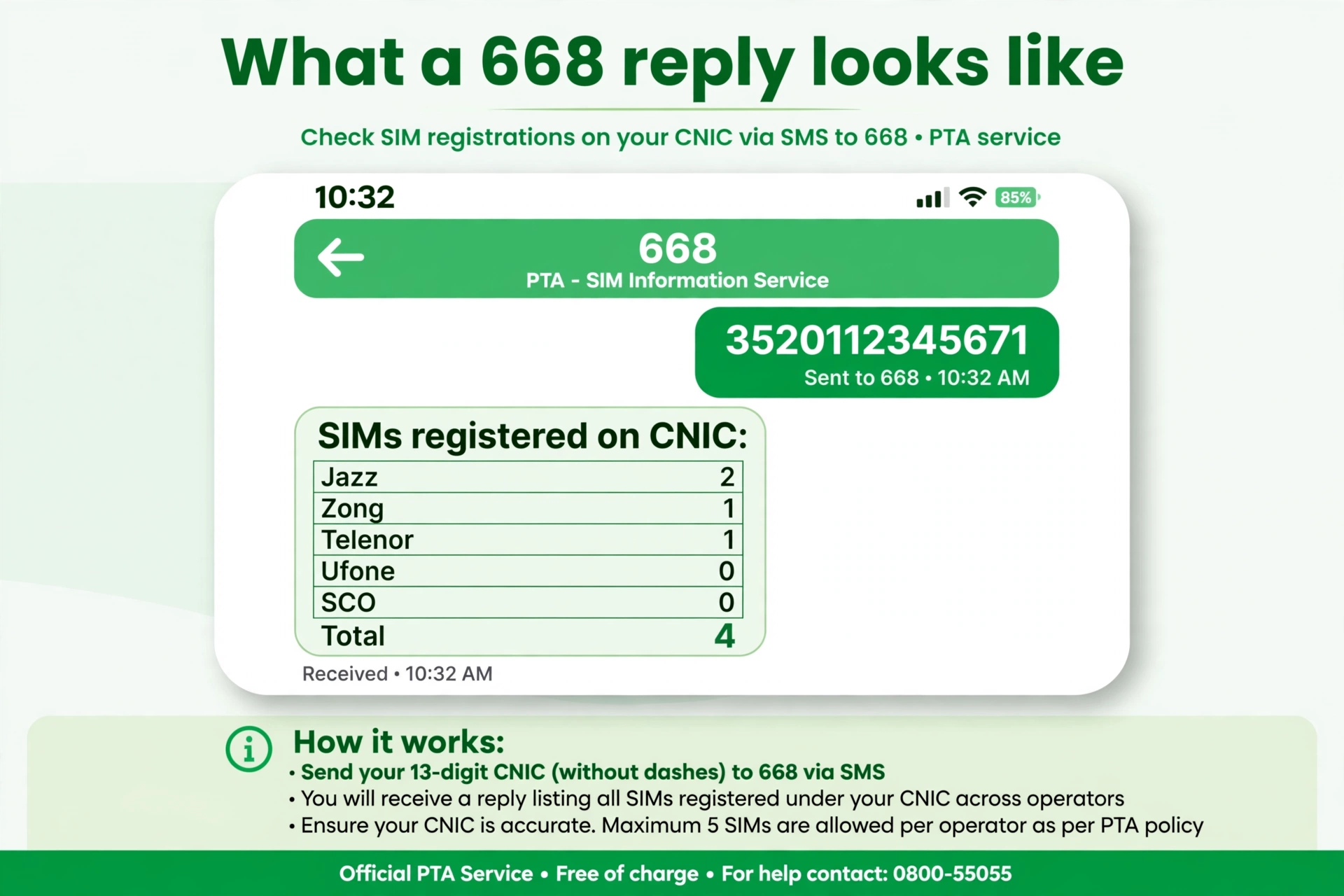
Method 1 — SMS your CNIC to 668 (no internet needed)
- Open your phone's SMS app — any Pakistani network, any phone.
- Type your 13-digit CNIC with no dashes or spaces (e.g. 3520112345671).
- Send it to 668.
- Within seconds you get a reply listing how many SIMs are registered against your CNIC, broken down by operator (Jazz, Zong, Telenor, Ufone, SCO).
Cost — the honest answer: PTA's original launch notice for this service set the charge at Rs. 2 per SMS, inclusive of all taxes. A later PTA release described the 668 service as free of charge. In practice, most guides still list it as a standard charged SMS — so if you want a guaranteed-free check, use the web portal below.
Method 2 — PTA SIM Information System (web, free)
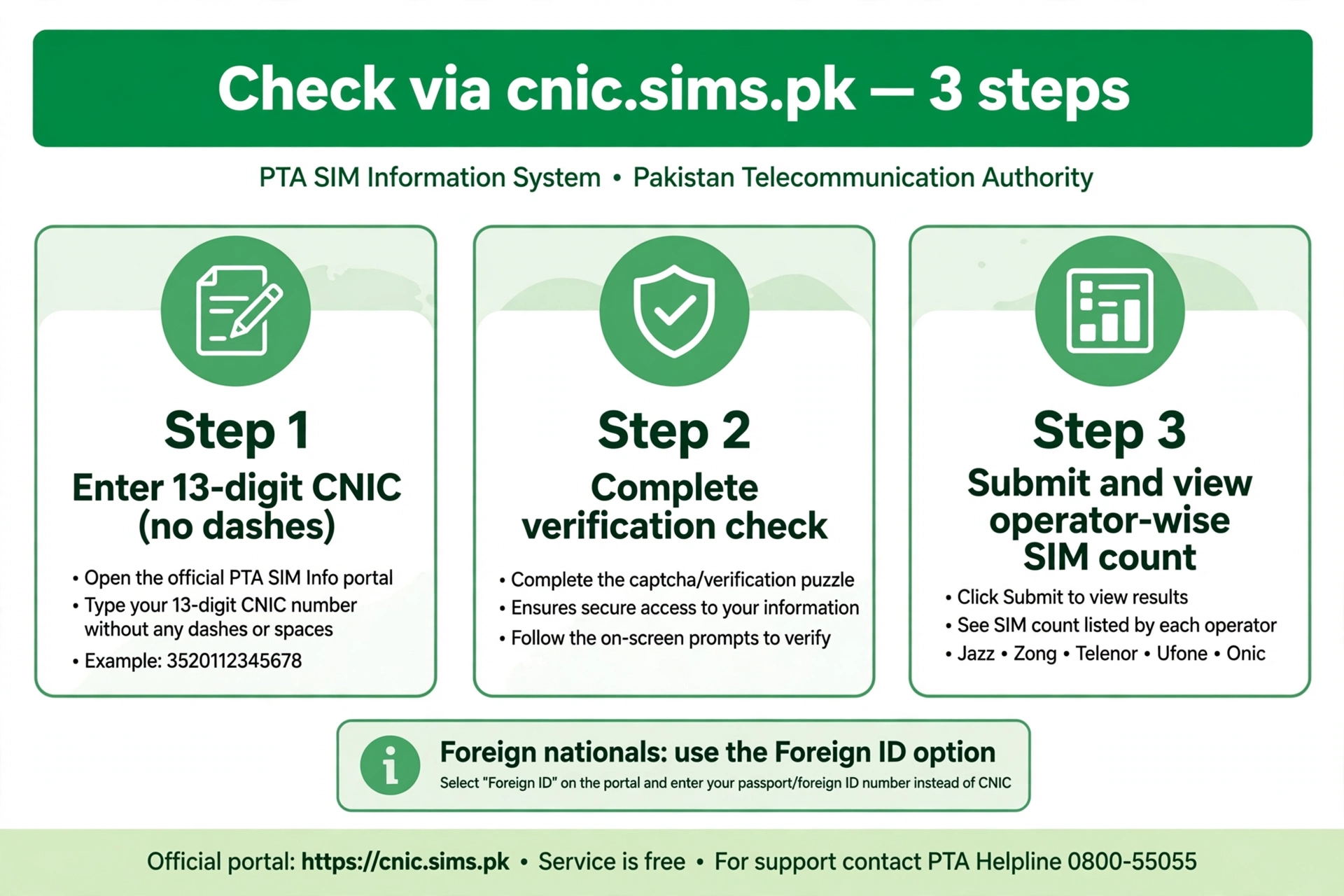
- Go to the official portal.
- Enter your 13-digit CNIC (no dashes). Foreign nationals: use the Foreign ID option.
- Complete the verification check and submit.
- The portal shows the same operator-wise SIM count on screen — free of charge, and it works from outside Pakistan too.
What the 668 reply actually looks like
A typical reply is a simple operator-wise count — not names, not numbers:
Jazz: 2 · Zong: 1 · Telenor: 1 · Ufone: 0 · SCO: 0
Total: 4
How to read it: count every SIM you personally own and use. If the reply shows more SIMs than you registered yourself, treat it as urgent — an unknown SIM on your CNIC can be used for fraud in your name (see what to do below).
668 vs 667 vs 76367: don't mix up PTA's codes
| Code | What you send | What you get back |
|---|---|---|
| 668 | Your 13-digit CNIC by SMS | Count of SIMs registered against your CNIC, per operator |
| 667 | The word MNP by SMS | The network and registration status of the SIM in your own hand |
| 76367 | N + space + an 11-digit number | Which network a number currently belongs to — never a name or CNIC |
Only 668 answers the question "how many SIMs are on my CNIC". The others solve different problems.
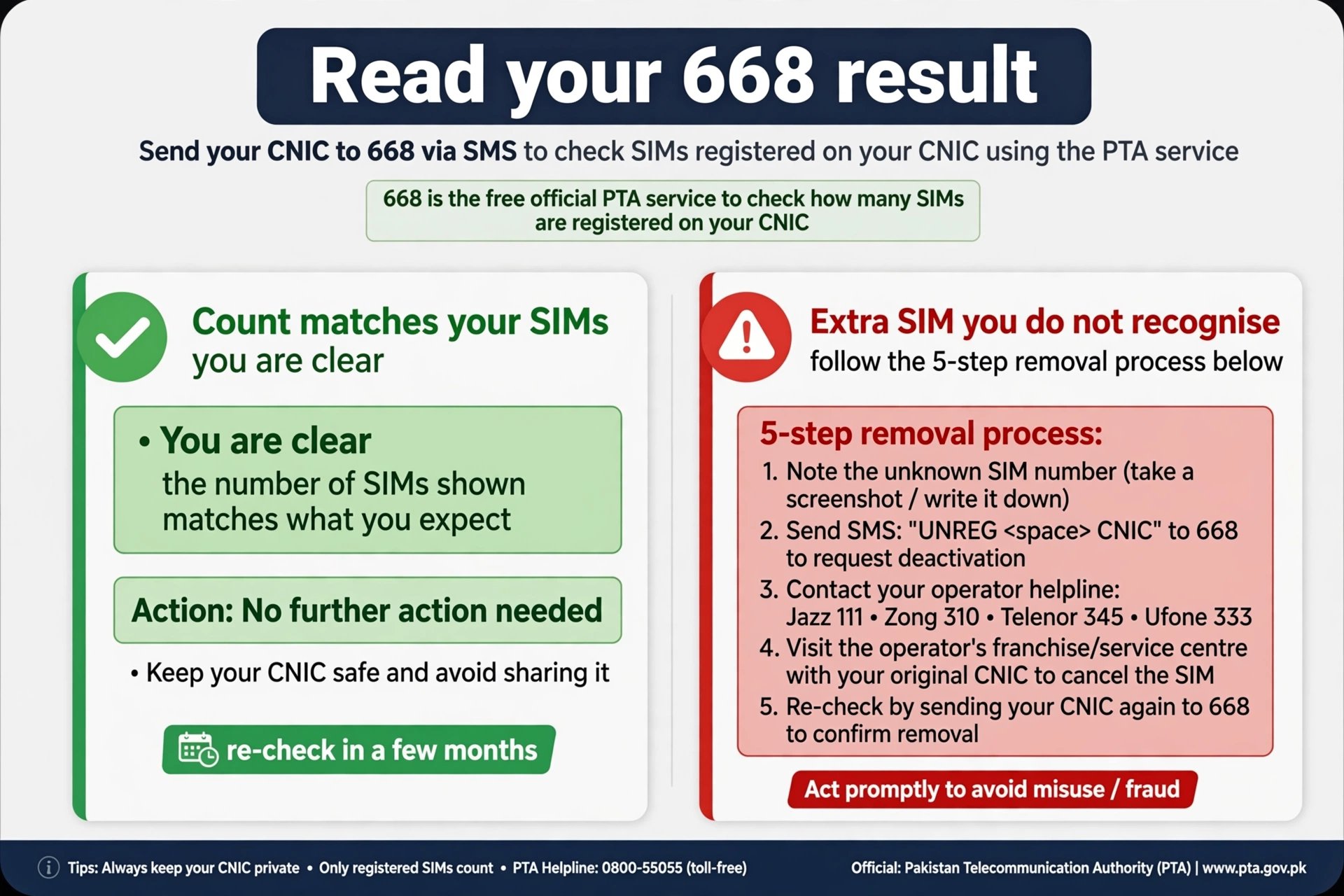
Found a SIM you don't recognise? Do this now
- Screenshot the 668 reply or portal result — you'll need it as evidence.
- Note the operator shown next to the unknown SIM — that operator's helpline is who you call first (Jazz 111, Zong 310, Telenor 345, Ufone 333).
- Visit that operator's franchise or customer service centre with your original CNIC. Ask for the unknown SIM to be blocked/removed from your name via biometric verification.
- Get a complaint/reference number and follow up until the SIM no longer appears on your next 668 check.
- If the operator doesn't resolve it, escalate to PTA on the toll-free helpline 0800-55055.
Checking from outside Pakistan
The 668 SMS only works from a Pakistani SIM. Abroad, use the web portal: it accepts CNIC and has a dedicated Foreign ID option for foreign nationals, so overseas Pakistanis can run the same check from any browser.
Why a sim check by CNIC can only ever be about your own CNIC
A sim check by CNIC returns identity-linked data — which name and ID a SIM is registered against. Under PTA's regulations and the Prevention of Electronic Crimes Act, that information is only released to the person it belongs to, after they prove ownership through SMS or the portal login.
Any site or app promising to run a sim check by CNIC for a number that isn't yours is either non-functional, scraping outdated leaked data, or operating outside Pakistani law. None of those outcomes are worth the risk.
The practical reason to run this check regularly is simple: PTA caps each CNIC at 5 mobile SIMs and 3 data-only SIMs. A quick check every few months is the easiest way to catch an unauthorized SIM before it's used for fraud or harassment in your name.
Run the official check now
Text your 13-digit CNIC (no dashes) to:
668Or use PTA's SIM Information System web portal directly.
Sim check by CNIC — frequently asked questions
The exact questions people ask before running this check for the first time.
It shows how many active SIMs, and with which operator, are currently registered against a specific CNIC. For your own CNIC, PTA's 668 SMS service and the SIM Information System portal are the only sources that can legally confirm this.
668 is PTA's official SIM check shortcode. Send your 13-digit CNIC number, without dashes, in an SMS to 668 from any Pakistani network, and you'll get a reply listing your registered SIMs by operator.
Apni 13-digit CNIC, bina dashes ke, SMS mein likh kar 668 par bhej dein. Reply mein aapko har network (Jazz, Zong, Telenor, Ufone) ke against registered SIMs ki tadaad mil jayegi.
No. PTA's SIM check system, like every lawful channel in Pakistan, only verifies the CNIC that's actually sending the request or logged into the portal. There's no legitimate way to check another person's CNIC without their consent.
SIM registration checks are handled by PTA (668 SMS and the SIM Information System portal), since it's the telecom regulator. NADRA maintains the CNIC identity records but doesn't operate a public SIM check service itself.
Contact your mobile operator's customer service immediately and ask them to investigate the unrecognized SIM. You can also report it directly to PTA. This is exactly the situation the 5-SIM CNIC limit is designed to help you catch early.
PTA's launch notice priced it at Rs. 2 per SMS (inclusive of taxes), but a later PTA release described the 668 service as free of charge. Because the two official statements differ, treat the SMS as possibly charged and use the web portal when you want a guaranteed-free check.
668 takes your CNIC and returns the count of SIMs registered against it, per operator. 667 takes the word "MNP" and returns the network/registration status of the SIM physically in your phone. For a CNIC-wide check, always use 668.
Yes — the 668 SMS needs a Pakistani SIM, but the SIM Information System web portal works from any browser abroad and even has a Foreign ID option for non-citizens.
Every few months at minimum — and immediately if you lose your CNIC, share a copy of it anywhere, or notice suspicious activity. PTA caps each CNIC at 5 mobile SIMs and 3 data-only SIMs per operator, so a regular check is the fastest way to catch an unauthorised SIM early.
Run your SIM check by CNIC in under a minute
It costs little or nothing, it only ever looks at your own CNIC, and PTA's own systems give you the legally authoritative answer.
Check My Number